"The Fun-Centric Approach To Blogging!"... (Says Header! :D )

Adding knowledge more than 1,50,000! times and counting... (Page Views)
Showing posts with label iPhone. Show all posts

2/03/2015

New Whatsapp Voice Calling Feature Activation Details!!

FIRST OF ALL YU MUST BE ROOTED!!! IF YOU ARE NOT THEN BELOW GIVEN DETAILS ARE WORTHLESS TO YOU.

1. DOWNLOAD LATEST VERSION OF WHATSAPP FROM HERE (AS PLAY STORE HAVEN'T UPDATED IT YET)
http://www.whatsapp.com/android/ AND INSTALL IT(TICK UNKNOWN SOURCES INSTALLATION IN SETTINGS BEFORE INSTALLING)

vr. 2.11.508

2. NOW INSTALL OR GET TERMINAL EMULATOR ON YOUR PHONE.

3. OPEN TERMINAL EMULATOR AND TYPE "su" in small letters.

4. THEN TYPE: (WITHOUT QUOTES OR SIMPLY COPY THEM)
"am start -n com.whatsapp/com.whatsapp.HomeActivity "


5. VOILA! CALLING FEATURE HAS BEEN ACTIVATED ON YOUR PHONE.

CHEERS! AND ENJOY CALLING...SHARE THIS TO MANY PEOPLE AS YOU CAN TO START THE TREND AND FEATURE..:):) ALSO CREDIT GOES TOWWW.MISSINGTRICKS.NET FOR THIS INFO..


ALSO YOUR FRIEND MUST ALSO HAVE SAME VERSION OF APP TO ACTIVATE THEIR CALLING FEATURE.
THERE IS ALSO REPORT THAT ONCE YOU HAVE CALLED THEM, THEY HAVE A PERMANENT WHATSAPP CALLING FUNCTION AS THE ABOVE GIVEN PROCEDURE MUST BE REPEATED (STEPS 3 TO 4) EACH TIME YOU WANT TO CALL SOMEONE AS THE BACKGROUND ACTIVITY GETS CLOSED AFTER EXITING THE WINDOW..


==> Source


>> NEW METHOD - NO ROOT

9/29/2014

FIVE THINGS YOU DIDN’T KNOW ABOUT EMOTICONS

Five things you didn’t know about emoticons

Every generation has its own lingo and communication systems that make it unique with respect to its predecessors. The technological revolution and early immersion of children into the world of tech have a lot to do with this: this explains, for instance, our already-internalized “text speak.” Based on the mass use of IM apps, so-called emojis are the new revolution in digital language, the logical evolution and globalization of the ASCII emoticons we’ve been using all our lives. We use emoticons daily on our smartphones, but did you know where they come from or how they came to be globally standard?

Where do they come from?

Etymologically, the word emoticon is a neologism made up of the words emotion and icon, leaving the word’s intended meaning quite clear. While its origin and current conception are related to their use in the tech world, it’s possible to find much older references from before the digital era, such as the one discovered in the satiric magazinePuck, which in 1881 published a series of typographic character combinations to represent different moods.
Nevertheless, the first real reference aiming to standardize and regulate the use of emoticons in a particular sphere of digital communication was the one done by the renowned researcher Scott Fahlman, who in 1982 sent a messageto his colleagues via Carnegie Mellon University’s BBS in which the vertical smiley :-) and :-( appeared for the first time.

Emoticons vs Emoji

It was in Japan that, among the many ASCII-code derivatives to represent emotions, the so-called kaomoji were created in the mid-90s, with the distinctive feature of being represented horizontally without having to turn them to view the result. To give a few explanatory examples: (づ。◕‿‿◕。)づ -╭( •̀؁•́ )╮- (✿◠‿◠) – ლ(❤ʚ❤ლ) – (ノಠ益ಠ)ノCool, right?
In the beginning, emoticons were created based on characters, but at the end of the 90s graphic equivalents in the form of small icons began to be used to represent all sorts of elements beyond different mood faces. NTT Docomo, Japan’s largest mobile service provider, was the first to integrate it in its services, but it wasn’t until 2007 that these icons were introduced in Unicode standard so they could be used on any system capable of reading it. In other words, emojis—despite the fact that we see them as small images—are actually characters with their own coding and are represented differently depending on the software where they are displayed. Thus the same emoticon looks different on an iPhone, an Android device, or the Google messaging tool.

The most used emojis

The use of abbreviated terms in texts and later the smartphone communications boom has led to an ever-increasing need for emoticons to express emotions quickly, to the point of directly replacing the written expression with the picture in question. The top niche of mobile-focused developers are aware of this need, and thus Apple and Android made their systems compatible with the standard even before they were integrated into Unicode.
Matthew Rothenberg created some while ago a system to count the number of times each emoji is used on Twitter, capturing the results in a dynamic, constantly updating ranking where you can see the ones most frequently used. Seeing on this page how massively they are published in real time gives us an idea of the importance of this system of communication in the modern day. (Here’s the full ranking.)

How does the brain react to an emoticon?

Emojis have reached such a degree of integration in our daily lives that our brains have adapted to their use in ways that’s we’re not even aware of. Psycologists from Flinders University in Australia have published a study in which they have measured the cerebral activity of a group of students viewing emoticons written by their friends in messages sent to them and comparing them with the reaction to seeing the sender’s actual face. The result was illuminating: The effect in both cases is practically the same, meaning that in practice we’re associating these digital characters with the emotional expression they’re trying to transmit.

250 new emojis to arrive this summer

While more than 700 emojis already exist with their own Unicode numbers, the list is about to be expanded to many more with the launch of the 7.0.0 version of the standard, which will be available in coming weeks as Apple, Google, and Microsoft integrate the support in their software.
The list swaps in new images for some of the existing ones and adds many new elements. In the (attention) list on Emojipedia you can consult and even view them in certain cases, although they won’t be available until mid-July.


8/17/2014

Wanna share my #BBM pin with the world =)

#BBM has long been made cross platform but still not so much popular with Android/ iOS users. So the idea striked me to why not share my pin to the world and see the response?!!! :P

Here is my #BBMpin feel free to add, only real ppl please!! =D

==>7F2A80D5


UPDATE: I have stopped using #bbm for a while!

10/12/2013

BBM for Android - iOS FREE. Official Download! Safe. 100% Working!!


FREE! FREE! FREE!!
Get what you always wanted!
Here you can DOWNLOAD for FREE the cool- "#BBM4All!".
Link is given soon... in this post itself! :P ;)
.
.
Well you definitely love BBM?!
Thats why you have reached hunting here! :P
But just tell me one thing, if you are really such a big fan, don't you think that deserves some patience from your end as well!
Be true devotee and fan of BBM, please don't go for leaked/fake releases, wait for the official launch! :)
So yeah the answer to the query that how to get BBM for free is here...
.
.
.
It's fairly simply...
.
.
.
All you have to do to download BBM4All for FREE is...
.
.
.
How do you install 'BBM' for free, official download?
.
.
.
.
"By Patiently Waiting!" :P xD (Trolled you again!)
Update:
Please register at official link - Here! To get heads up when the official version is out.
Also follow official #BBM Twitter handle for news & updates of release timeline.
Happy Waiting! :P

2/23/2013

Review: BlackBerry 10 Brave Attempt...

BB10 is out and yes they bravely managed to face Android, Apple and Windows, but is it strong enough a contender? Would you bet your money on BB10 when you have alternatives in same price that give extreme performance and power?! Let us try to find the answers, from my perspective, if its really worth taking a chance. (BB loyal users and BBM addicts may not be willing to read further! :D )

Flow Interface:

[Cool]
BlackBerry calls the BB10 interface Flow with good reason. It’s all about the gestures with nary a button necessary. It reminds us of Windows 8 with all the swiping from the edges you have to do. But in BB10, it feels natural.
The gestures and swipes are easy to learn and remember, so the learning curve isn’t that steep. The main move to remember is swiping up from the bottom. This unlocks the device, activates peek, and also minimizes apps and returns you to the Home screen. Swiping up and to the left opens BlackBerry Hub from any app or screen (except the Lock screen). In apps with settings, swiping down from the top brings up those options. On the Home screen and in the Hub this gesture gives quick access to often used settings and wireless radio toggles. In the Hub and on the Home screens it’s all about swiping left and right to get where you want.
And that’s it. If this seems simple, that’s the point. The interface is mostly efficient and lacks the kind of complexity that can lead to confusion.


[Uncool]
There are aspects of this that aren’t so efficient. For instance, each time you swipe an app to get back to the Home screen area, you always land on the Active Frames (open apps) screen. If you’re switching between apps and the second app isn’t a recent one, you still have to swipe from the right to get back to the list of all apps. This is a minor thing, but the more apps you use, the more this is annoying. It’s equally annoying that you can’t launch an app from BlackBerry World once it’s installed.
That said, the Active Frames screen is very useful. It’s the heart of BB10′s multitasking features and makes it easy to get to the most recent apps. The reason these little windows are called Active Frames is that, like widgets in Android or Live Tiles in Windows Phone, they can display changing information, such as an update to the weather, a reminder, or the time. The concept is useful even if the functionality isn’t robust as the widgets in Android.

[Verdict]
Clearly in the fast race of better than best interfaces already available like Android , Apple & Windows, and these platforms themselves improving and upgrading so faster with ever upcoming latest Android versions, BB has a long way to go. Again the recent revamped move of windows: Windows Tile interface and Windows 8 has given a tough competition to Android and Apple already in terms of interface friendliness, leaving Android and Apple no choice but to evolve more faster and some historic OS like Symbians already out of Smart phone race and labelled a feature genre rather, that it is really very difficult for Blackberry to have its own space. And with the BB10's current Interface features available, leaves room to improve a lot!


BlackBerry Hub, Peek, and Calendar:


[Cool]
The Hub is the centerpiece of BlackBerry 10 and its importance is key to understanding who BB10 is actually for. BlackBerry appeals to people who want or need to keep on top of their messages. And the Hub recognizes that important messages aren’t limited to your email or BlackBerry Messenger. They also come from social networks and chat services, too.
 All of these messages come to the universal inbox that is the Hub. Yet somehow it doesn’t feel cluttered and disorganized. The interface design strikes a balance between offering enough at a glance information — not just who a message is from but where it’s from – and not overloading the screen with too much. Plus, you can always filter the inbox by service, viewing email or BBM or Twitter only.
You can shrink the main window with a gesture to see notification icons showing how many unread messages you have from which accounts.

[Uncool]
It’s possible to reply or create new messages or status updates right from the Hub, which comes in handy. It still has some odd quirks, however. For instance, the Compose button is strictly for messages to people, not for status updates, which isn’t readily apparent. To post a status update, you have to filter for that network and then the Status button appears. Hub also pulls in information from the various services for context, though viewing full profiles on social networks does require going to the app.

[Verdict]
Though we have certain Hub apps available for Android, Windows, Apple and their own proprietary Hub application also available for few like Samsung hub for Android, but for Hub application, I would give more marks to BB instead! Though messaging is no more BB's dominant area, as Google and Windows has emerged a lot with Google being most popular in messaging services, and also personal and secure server communication is available as in Apple- iMessage. But from business point of view still the most secure and robust messaging service is BBM only. Though we have cross platform apps like WhatsApp, but that can not be counted relevant from business point of view, rather more an informal way to stay connected and have fun, but BBM brings you both the worlds!

Predictive Keyboard:


[Cool]
BlackBerry is going forward with both touchscreen-only and physical keyboard devices. Both types of phone will benefit from BB10′s new predictive text engine, though the implementation is different for each.
As you type, word predictions appear on the keys and you can just flick them up to choose. The space bar provides a single autocorrect option in case you don’t feel like flicking. Over time, the keyboard will learn from your typing and offer better predictions.


[Uncool]
At first, the predictions aren’t going to be as much use. The suggested word text is very tiny and can be hard to see. By the time you suss out the word you’re trying to type, you might as well have typed it. Speed demons will easily outpace the tiny text. Only later, after the keyboard knows you better, will the tiny words finally match what you want to say well enough that you can flick most of your words. It also helps that the words appear floating over the letter you’ll probably type next.

[Verdict]
Blackberry might be amongst very early devices to have QWERTY physical keypad devices, but the time has evolved a lot now, with better than best touch interfaces available in Apple, Androids and touch winning the futuristic interface preference, again a long way to go for BB keyboard. With lots of customizable soft keyboards available on Androids, BB has a lot to evolve in this category.


Voice Commands:
[Cool]
 BlackBerry 10 includes another good way to enter text: voice. The Voice Commands app can launch apps, update your social network status, make calls, and perform other Siri-like features.

[Uncool]
The engine isn’t as robust as Siri because it lacks some of the natural, conversational commands, but in practice, it’s about on par in terms of accuracy. It understood what we wanted “make a call,” “tweet,” etc., yet had trouble with our pronunciation of some contact’s names. The voice-to-text engine has to upload to a server to translate and won’t work while offline.


[Verdict]
Compared to Android- Google Voice based various apps or Siri of Apple, BB really fails here badly, and will give you a very novice experience of voice command if you have experienced Apple or Android before. This is kinda same story as Apple maps, and again a long way to go for BB.

BlackBerry Messenger: (The undisputed feature of BB!)
For BB10, the company added two new features to this popular core service: video chat and screen sharing. The quality of video chat depends heavily on the network or Wi-Fi connection and the camera.
Screen Sharing is just what it seems. Once on, the person on the other end will see what you see hen navigating your phone. In this way you can show a presentation, pictures, or pretty much anything except video. This will appeal to business users as a quick collaborative tool.

[Verdict]
A clear win, full marks to BB!


BlackBerry Balance:
[Cool]
Another much touted feature of BlackBerry 10 is Balance, as in work/life balance. This allows users to have a separate personal profile with different apps, messaging accounts, even backgrounds (so it’s easy to tell when you’re on the Personal or Work sides).

[Uncool]
Balance is only available to companies that utilize BlackBerry Enterprise Server 10. That leaves out mainstream users and probably some small businesses as well. The technical reasons for this make sense, it just seems odd that the company touted the feature so much when it’s not available to everyone. It’s one of the aspects of BlackBerry 10 that really brings home that the company designed this platform for its base: business users. Mainstream users are welcome – some might even say needed – but important aspects of the operating system are geared toward business use, if not restricted to it.


[Verdict]
Again as BB always emphasized & cherished it's business useful features, same is this case. Definitely a plus for people who use BB for business needs, and definitely not available in Apple, Android or Windows targeted at general users more. So BB scores here more than Apple and Android.

Apps - Big Fail!
With such a vast variety of Apps available on other platforms on massive app stores like Google Play, Apple or even Windows, BB app store has very less apps or variety available. There is definitely demand for many useful apps missing on BB that are available on other platforms. Lets see how far developers go, and BB creates some good variety of quality apps in future.

Conclusion:
BB is certainly packed with certain unique features like BBM, secure messaging, business oriented and certainly will always be the best choice for that business segment of users always. Though it is trying to expand to other segment of general users and youth alike, but in that area it has a long way to go and a big competition to face as well. There is a little portion of 'loyal' users alike who might not need BB for sole business purpose but rather love for the BB or the BBM lone is enough for choosing BB over other alternatives. With the kind of market grabbed currently, trends going forward, and evolution happening in technology my view of near future in terms of mobile OS is: Android will remain biggest market eater due to greater performance and interface it offers and better integration with upgrading hardware as well as Google's hardwork to keep beating its own old versions and launching newer with a pace that is astonishing! Also the major audience we have is general audience not business, this includes youth, and this major portion loves features, performance, fun, Apps and smartness and not only business messaging over secure servers. Google understands that, and is cleaver enough to offer open source powerhouse with all that user wants and thus is a big hit! Apple again being good and an inspiration for Android too! will remain second, since this is a bit costly segment hence the percentage is less than Android. Windows who was once dead is catching market share will have its own small share of market with number 3 position due to its own uniqueness of latest tile interface. Windows will have an impact on the market and will not be out of the picture. Nokia Symbian is dead already, the biggest pain for Symbian is now being labeled as 'feature phone', who was once an undisputed smart phone. Blackberry again will continue to hold on its own market share though very small, and certainly will not be out of the picture. This is again partially true due to its unique business features. But how far BB goes ahead in this fast race is a interesting question, and only time will tell. Though with what BB has entered in market now with BB 10, and what competitors offer already it seems really a very long way and a tough race for BB! Lets see how many laps it needs!But one thing is for sure, with this fierce battle of platforms, at the end, there is only one winner - end user!

* Various info on BB10 OS specifications has been used from this article

7/29/2012

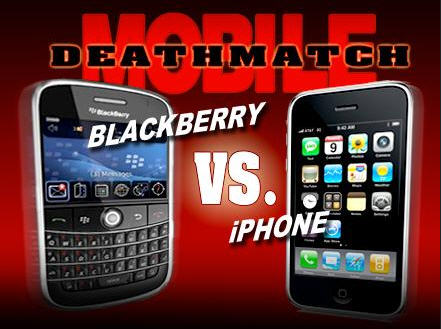
Blackberry’s 26 Advantages over iPhone


We all have numerous good reasons to love our iPhone. It revolutionized the handheld business with its AppStore and ease of use interface. Apple (AAPL) will continue to gain ground, and further innovations to its iPhone product portfolio could accelerate its growth even further. The synergies with the Mac computers and the Apple Stores themselves, are real and material.
The advantages of the iPhone are mostly immediately visible. Its differentiating characteristics are extroverted, shouting them right into your face. For the casual observer, these iPhone advantages are very compelling when comparing it to its main rival to date, the Blackberry. However, Blackberry also has numerous advantages, almost all of which are “behind the scenes” and therefore often beyond the comprehension or attention span of most consumers to fully analyze before a purchase decision is made.
One is tempted to draw a political analogy – the flamboyant candidate with the eloquent rhetoric, versus the “boring” candidate focusing on the substance of the intellectual argument. The analogy fails in part as far as the iPhone is concerned, because its “superficial” advantages are real. However, the analogy holds as far as the Blackberry is concerned, because its advantages require a more serious intellectual analysis by the consumer in order to be fully appreciated. For this reason, it is possible that Research In Motion (RIMM) is underestimated as a force in the consumer market as well as the stock market.
Seeing as we already know the strong advantages of the iPhone, ranging from the class-leading AppStore to its beautiful and easy-to-use interface, it is about time that someone lists the advantages of the Blackberry when compared to the iPhone. Below are the top 26:

1. Blackberry can be used on almost every carrier in the world (over 475 of them). In the US, the iPhone is available on AT&T (T) only.
2. Blackberry is available in five form factors – small keyboard, large keyboard, no keyboard, flip phone, and candy-bar.
3. Most Blackberries have keyboards, so you can actually type fast and with no errors. Helps while driving, walking, carrying something in your other hand – all the time. iPhone: well…
4. Blackberry uses standardized (=inexpensive and available everywhere in the world) MicroUSB connector for synchronization/charging. iPhone has a much larger proprietary 30-pin connector.
5. Some carriers such as Verizon (VZ) and Sprint (S) offer unlimited international Blackberry data roaming for $40/month or less. iPhone does not. This could save you literally tens of thousands of dollars when you are abroad.
6. If your Blackberry is on T-Mobile USA, it also offers unlimited WiFi calling from anywhere in the world. This is with your existing number – in and out – so no new special number, procedure, etc. iPhone cannot do this (because it is only on AT&T; only T-Mobile USA offers this), and it can save you well over $100 per day when you’re abroad. Think $1 per minute savings, and you’re on the phone two hours per day. That’s $120/day.
7. Blackberry has expandable memory. iPhone is fixed and sold at 8, 16 or 32 gig only.
8. Blackberry has removable and expandable battery. iPhone is fixed.
9. Blackberry allows programs to multitask. iPhone has limited multitasking.
10. The newest Blackberry screen resolution is 480x360. iPhone is 480x320.
11. Blackberry allows communicating peer-to-peer via PIN identifier, circumventing the email system. No such iPhone equivalent.
12. Skype (EBAY) on the Blackberry? Yes, from anywhere to anywhere. Skype on iPhone? Only if you’re on WiFi.
13. Sling on the Blackberry? Yes, it’s free. Sling on iPhone? $30.
14. Google (GOOG) Voice on the Blackberry? Yes, it’s free. Google Voice on iPhone? Verboten.
15. Blackberry can be synchronized to multiple computers simultaneously, if you have multiple computers.
16. Multiple Blackberries can receive the same email feeds simultaneously, if you have multiple Blackberries.
17. Blackberry can sort the address book entries by company name, so you can scroll down a long list of names you don’t remember, but you just want to see who works for which company. Aside from sorting, the iPhone can take several seconds to search your address book, particularly if you have several thousand address book entries.
18. Blackberry isn’t slowed down by having, say, 10,000 or 100,000 address book entries. Try using an iPhone with 10,000 address book entries.
19. All major instant messengers are available on Blackberry.
20. Blackberry is available with multiple browsers from multiple suppliers. iPhone is available only with its standard Safari browser.
21. Blackberry synchronizes with iTunes – and every other media management program.
22. Blackberry models with 480 pixel resolution and WiFi offer PrimeTime2Go, an $8/month TV service that works as a DVR.
23. Blackberry fits as many emails in the inbox as there is memory available (typically many tens of thousands). iPhone is limited to 200 emails. Yes, iPhone has a remote look-up capability, but that doesn’t do you any good when you’re on an airplane or are otherwise out of coverage.
24. Price: Unlimited iPhone voice/data service, including unlimited SMS, is $150/month. Blackberry can be had for much less. For example, unlimited Blackberry service is offered on Sprint for $100/month, T-Mobile USA $125/month, MetroPCS $50/month, although AT&T/Verizon match the iPhone at $150/month.
25. Prepaid “no contract” flexibility: The AT&T web site says the iPhone is sold with a 2-year contract only, although once upon a time it offered a “contract-free” iPhone if you paid close to $899 up-front for the iPhone itself. In contrast, you can get prepaid no-contract Blackberry service on any old or new T-Mobile USA Blackberry handset for $65/month (600 minutes, unlimited Blackberry/Internet, but no SMS), or you can get truly unlimited-everything prepaid $50/month service from MetroPCS, if its handset selection and coverage areas are acceptable to you. That’s ONE THIRD the cost of the iPhone, and there is no contract.
26. Blackberry is an encrypted military-grade security platform, with 100% market share at FBI, CIA, White House, Congress, Department of Defense, major consultancies and major investment banks. In contrast, iPhone has security vulnerabilities. Please see this document for details as to why the Blackberry is the only platform approved for use in our national security agencies. It compares against the iPhone and Microsoft Mobile platforms (.pdf).

** Source 
 
Creative Commons License
Akshat's Blog by Akshat Rastogi is licensed under a Creative Commons Attribution-Noncommercial-No Derivative Works 2.5 India License.